


Content



Team Lead of Content for promodo.com
Experienced in working with data, expert recommendations, and real business cases to create clear and valuable content that delivers real business impact. Passionate about discovering new insights, exploring industry trends, and turning complex topics into practical, easy-to-understand content.

Head of UX/UI Promodo
I have over 8 years of experience in designing CRM and HRM systems, eCommerce, landing pages, and mobile applications. As a UX/UI designer, I develop strategies and innovative design solutions that help improve user experience and result in positive changes in key business metrics. As a mentor, I teach new designers how to create innovative and well-reasoned design solutions, share my experience, and help them avoid mistakes in interface design.
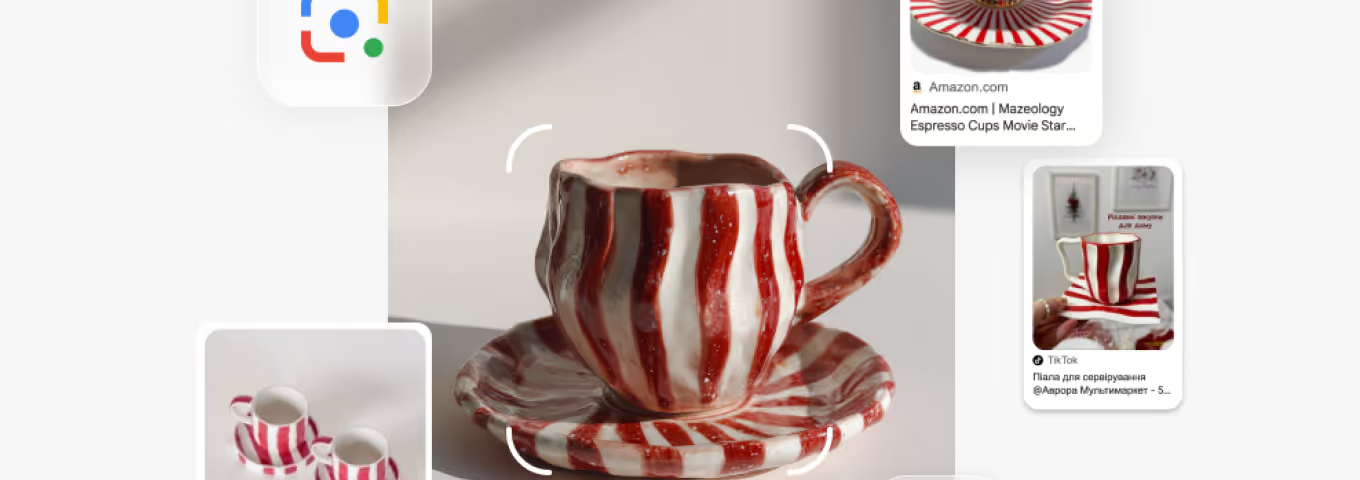
A few weeks ago, I was scrolling through Threads and came across a post featuring a Christmas mug I instantly loved. I took a screenshot, opened Google Lens, and uploaded the image. A few minutes later, the order was placed on the website — and the very next day, I was drinking my coffee from that mug.
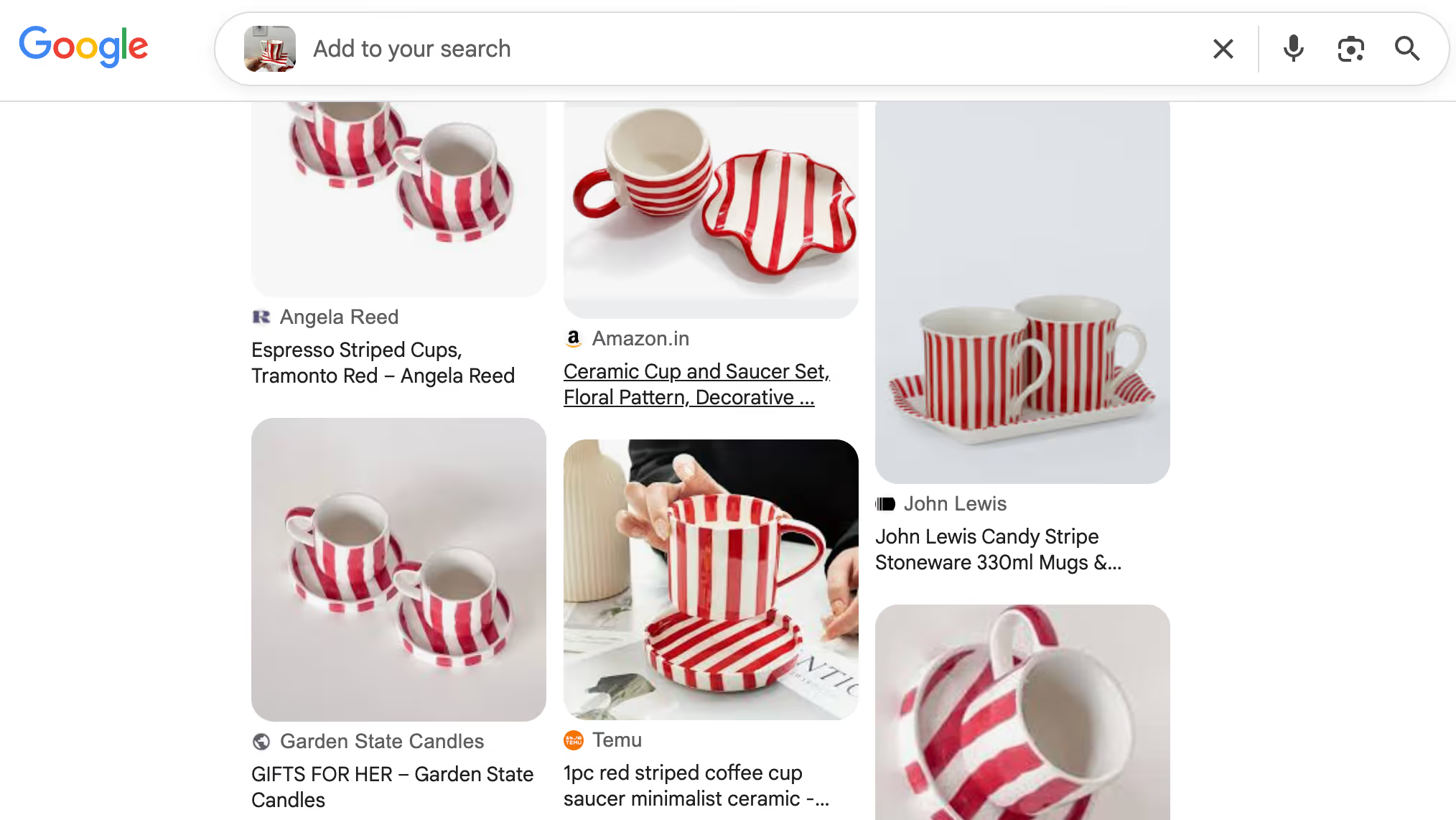
And it’s not just me choosing this kind of user journey.
When they need to find a product fast, 65% of millennials turn to visual search instead of typing.
In this article, we’ll explain what Google Lens is, how Google Lens works, why it’s becoming critical for eCommerce, and how to make sure your products are found and bought through images.
Google Lens website is one of the most widely used visual search tools, processing more than 20 billion searches every month. What makes this especially important for businesses is that one in four of those searches has clear commercial intent.
The flow is simple: a user takes a photo of a product, and Google Lens instantly shows similar items and where they can be purchased. The tool can analyze almost any image and, within seconds, provide information about the object — whether that’s identifying it, finding similar products, or even pulling up instructions.
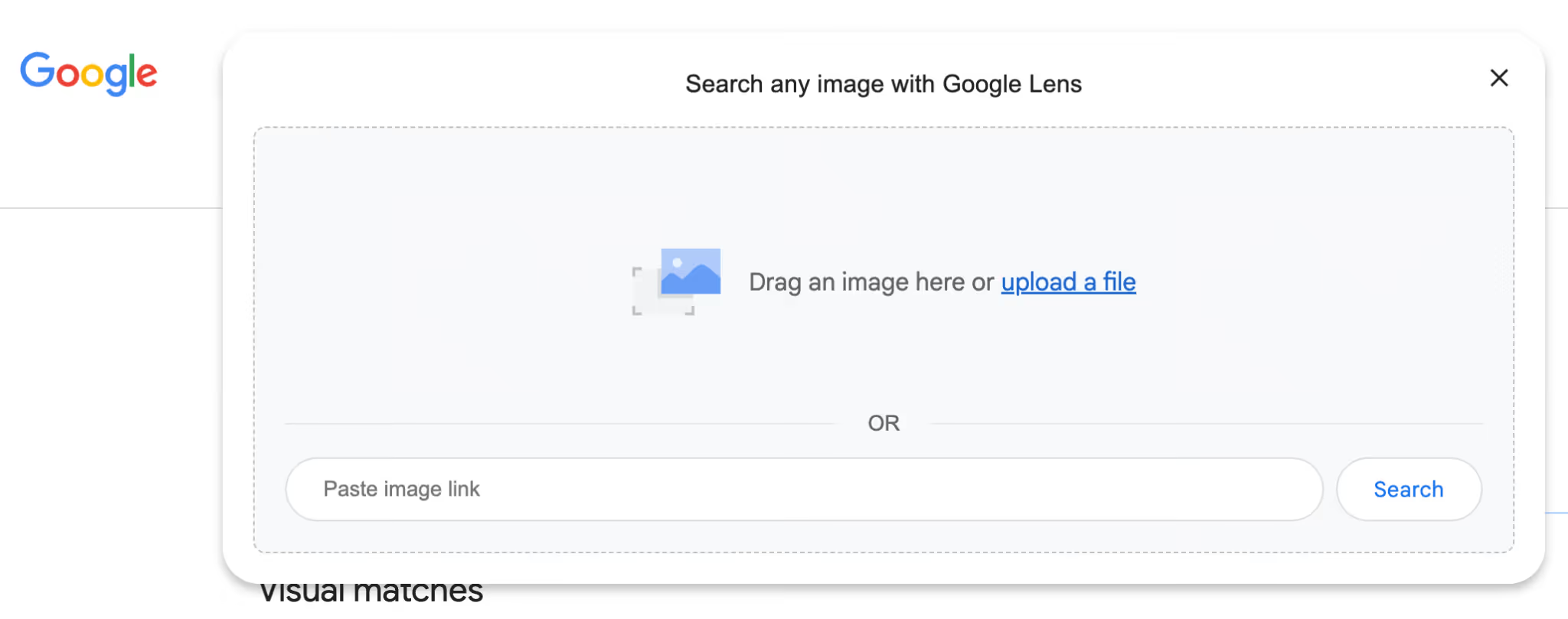
Search with Google Lens is a visual search tool that lets users find information using images instead of text. By pointing a camera at an object, product, landmark, or even text, Google Lens can identify it, provide details, show similar items, or suggest where to buy it online. In eCommerce, this means shoppers can take a photo of a product they like and instantly see matching items, prices, and sellers—making the path from discovery to purchase faster and more intuitive.
Google Lens helps online shoppers find products faster and more intuitively. By simply pointing their phone camera at an item—whether in a store, magazine, or on social media—users can instantly search for similar products online. For eCommerce businesses, this means more opportunities to capture interested buyers: Google Lens shopping can drive traffic to product pages, improve discovery of hard-to-find items, and even enable visual search for product variations like color, style, or brand. In short, it turns real-world inspiration into direct online shopping.
For eCommerce, this means a shopper can snap a photo of a bag on the street and instantly see where it’s available online. On top of that, Google Lens is integrated with Google Shopping, giving brands an extra opportunity to increase product visibility exactly at the moment of intent.
Visual search is a technology that lets people find information, products, or inspiration using images instead of words. Rather than trying to describe what they’re looking for in a search bar, users simply upload a photo or point their camera — and the system analyzes objects, colors, shapes, textures, text, and context to return the most relevant results.
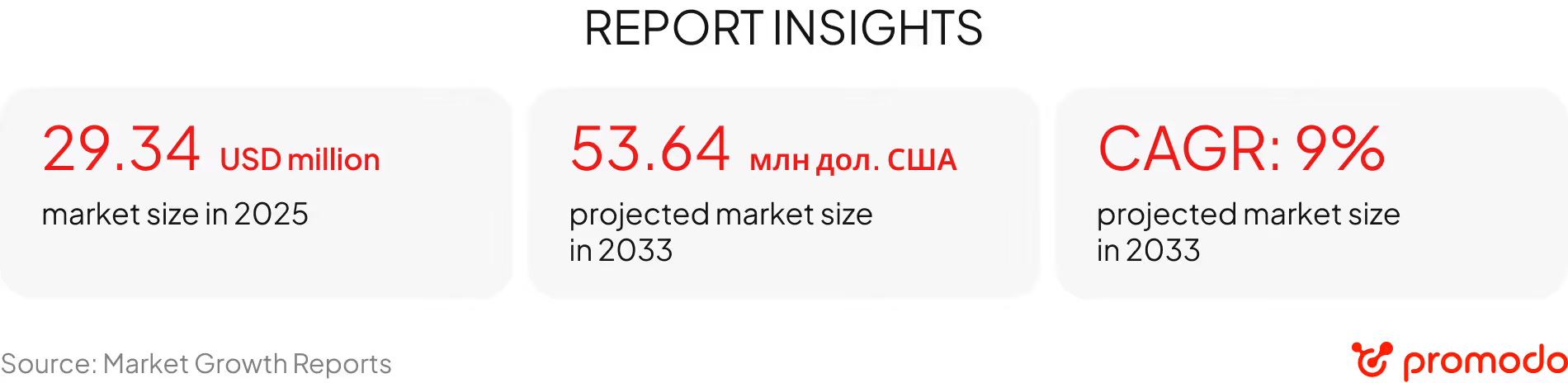
Today, visual search is no longer a “nice-to-have” feature. It has become a full-fledged customer interaction channel that’s scaling fast. More and more users search for products and ideas through images, and these queries already account for around 71% of all visual searches.
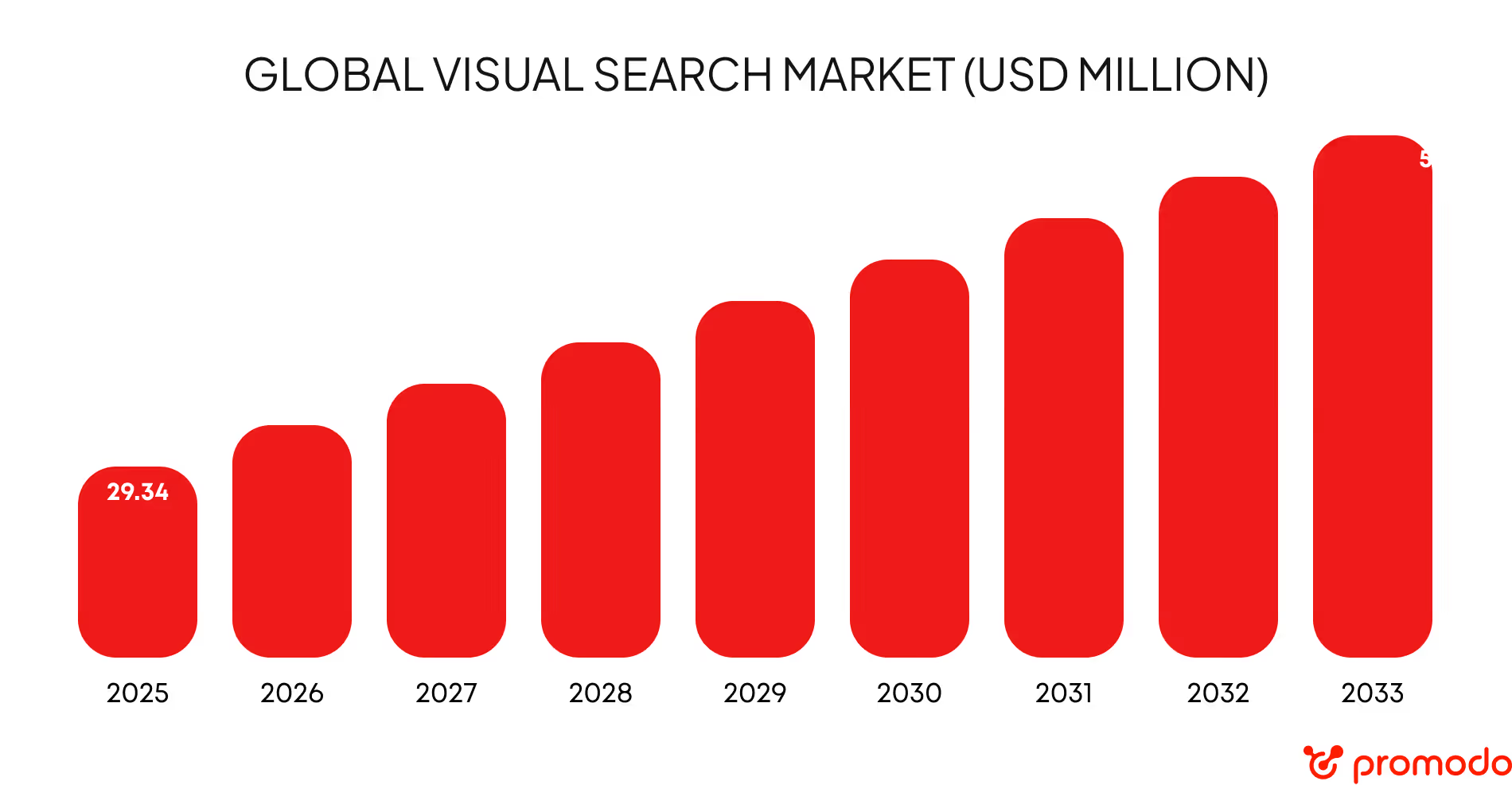
Today, visual search is used most активно in eCommerce and retail. By various estimates, these industries account for around 62% of all visual search activity. More than half of these sessions happen in mobile apps, which clearly shows what users expect: an instant flow — see it → snap it → find it → buy it.
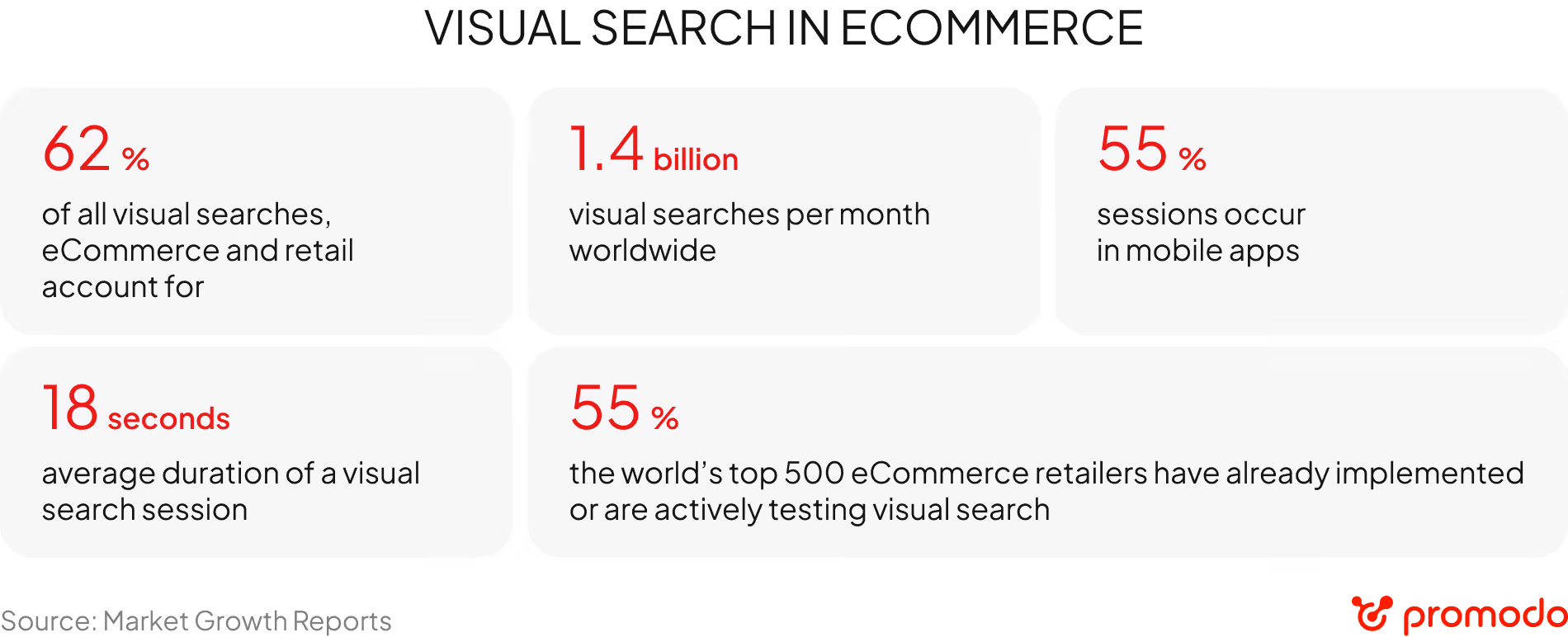
The highest engagement comes from furniture and fashion — categories where visual search solves a core selection problem that text queries simply can’t handle. It’s no coincidence that 58% of the top 500 eCommerce retailers have already implemented or are actively testing visual search in their products. For brands, this is a practical way to adapt to shifting user behavior and the rapid growth of mobile-first shopping.
«Visual search also proves effective in niches like jewelry, home decor, and children’s products. In the last case, it often solves a very practical problem: when a child points and says, “Mom, I want the same toy my friend has,” the fastest way to find it is through image-based search..»
Anton Chebotarenko, Head of UX/UI at Promodo
Google Shopping Lens relies on artificial intelligence and computer vision, so brands can’t optimize their content for Lens directly. However, they can improve their chances of showing up by creating conditions that help Google’s algorithms correctly recognize the product, understand its context, and display it in response to a visual search.
Use clear, high-quality images from multiple angles on a neutral background. This helps Google Lens accurately identify the product’s shape, color, material, and type. It’s especially important to avoid cluttered shots with extra objects that can confuse recognition. Remember, unique images are also crucial for SEO.
Upload images in WebP or JPEG formats with minimal compression to ensure fast site loading.
Implementing Product markup via Schema.org allows Google to receive clear signals about your product: name, price, availability, brand, GTIN, or SKU. For Google Lens, this is crucial — the algorithm not only “sees” the image but also understands what the product is and whether it’s available for purchase.
An image sitemap is a special file (or part of your XML sitemap) that helps search engines discover and index your site’s images more quickly and accurately.
Create and submit your image sitemap in Google Search Console to ensure all your product photos are found and indexed.
Instead of technical names like IMG_1234.jpg, use clear, descriptive file names and alt text that include the product type, color, model, and key features. This helps Google connect your images with relevant visual search queries.
Free Listings let you showcase your products across Google without running paid ads. Once activated, your products can appear in Google Shopping, Google Images, and Google Lens whenever Google’s algorithms determine they’re relevant to a user’s visual or product search.
Free Listings allow Google to combine visual signals from your site with data from Merchant Center. As a result, the algorithm understands that the product in the image is available for purchase immediately and can display it in response to a Google Lens search — without any extra advertising costs.

To ensure your site appears in visual search results and your products are bought through images, you need to consider technical, content, and UX aspects.
Your category and filter system should be intuitive so users can quickly find similar products through visual search.
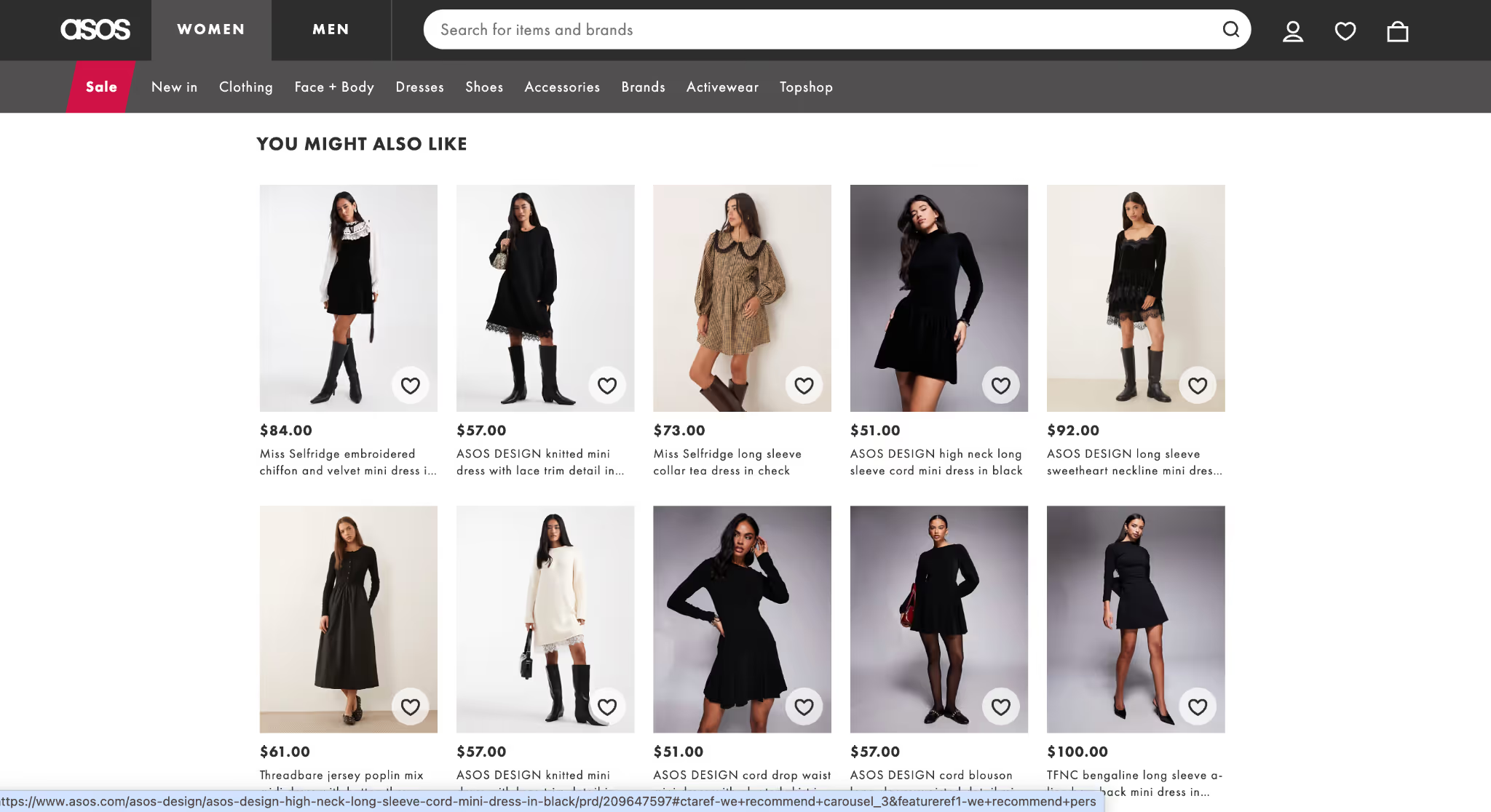
Users don’t have to rely solely on Google — they can search by image directly on your website.
Start by choosing a visual search tool that’s compatible with your CMS or eCommerce platform (Shopify, Magento, WooCommerce). When selecting a solution, make sure it can handle large product catalogs, support result filtering, and integrate with analytics so you can track search performance and its impact on conversions.
To boost engagement and conversion, consider adding a “Search by Image” button at key interaction points — in your product catalog, search bar, and on product pages. This simplifies the path to purchase and reduces drop-offs.
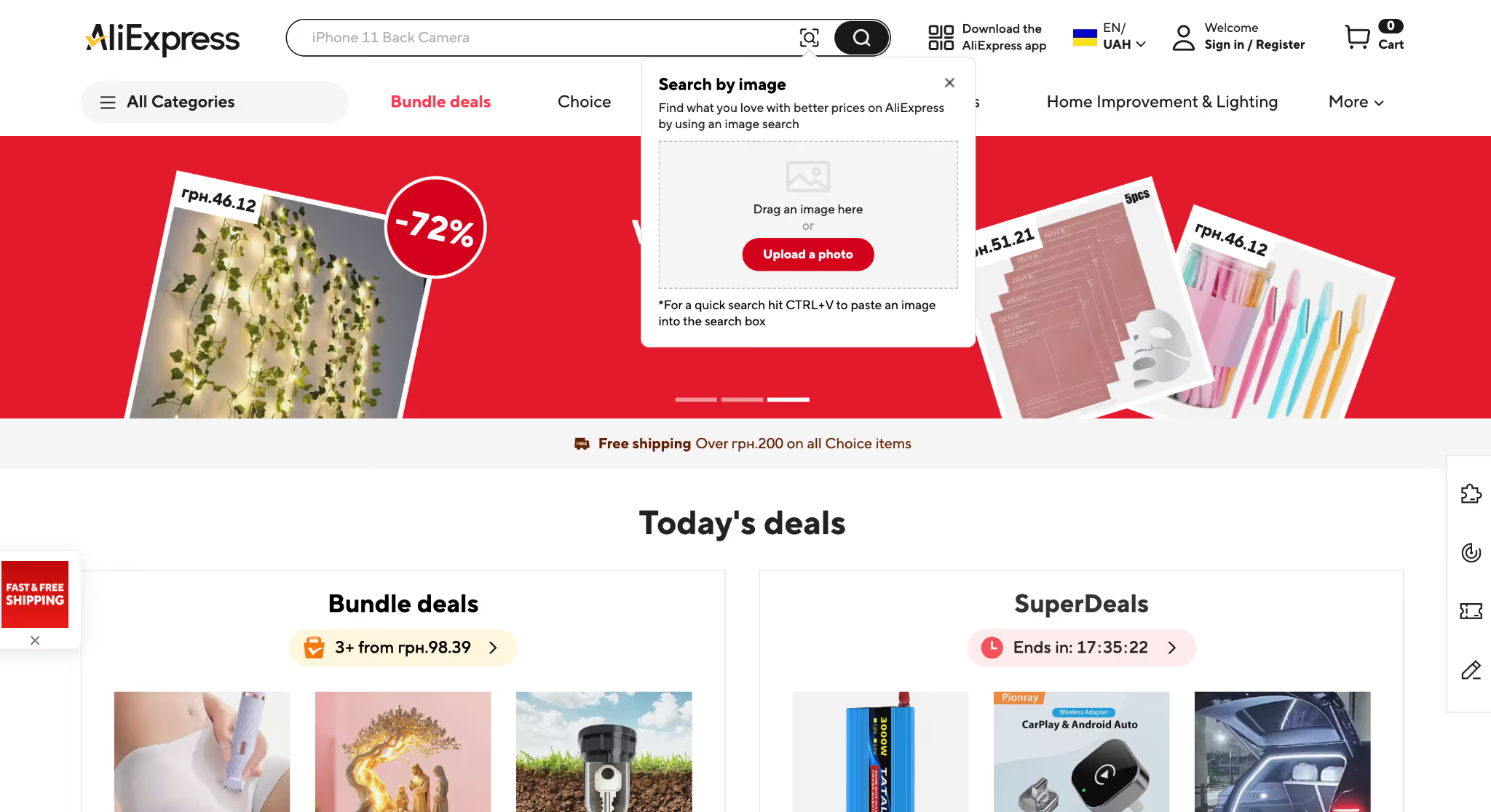
Pay special attention to the mobile experience. Most visual searches happen on smartphones, so your image search feature must work seamlessly on both the mobile site and app. It should load quickly, accurately recognize objects, and display relevant results without unnecessary steps.
“Visual search works best on platforms with a wide assortment, where users aren’t always sure if a specific product is available in the catalog. That’s why it performs so well on marketplaces like Temu or AliExpress. In these cases, visual search shortens the path to relevant results and boosts conversions”.
Anton Chebotarenko, Head of UX/UI at Promodo
Visual search offers eCommerce much more than just finding a specific product. With AI, it becomes a tool for personalized recommendations, helping users navigate your assortment faster and discover the most relevant alternatives.
“Today, thanks to AI-powered image recognition tools, implementing visual search has become much easier and more accessible for businesses, while the accuracy of search results and recommendations has significantly improved”.
Anton Chebotarenko, Head of UX/UI at Promodo
For businesses, this has a direct impact on key metrics. Users are more likely to browse alternative options, add multiple items to their cart, and make purchase decisions faster. As a result, average order value increases and the overall brand experience improves.
Another major advantage is the analytics from visual searches. It helps you understand which styles, colors, and form factors are in highest demand, which products users search for but can’t find, and how audience preferences evolve over time. These insights can be used to optimize your assortment, adjust merchandising strategies, and fine-tune marketing campaigns based on actual demand rather than assumptions.
Visual search and Google Lens are already shaping new ways for brands and shoppers to interact. Companies that effectively adapt their eCommerce platforms to this channel gain a competitive edge, higher visibility, and increased conversions.
At Promodo, we take a comprehensive approach to visual search, combining visual SEO, UX/UI design, and analytics to ensure your eCommerce brand gets the maximum business impact from every visual query.

Team Lead of Content for promodo.com
Experienced in working with data, expert recommendations, and real business cases to create clear and valuable content that delivers real business impact. Passionate about discovering new insights, exploring industry trends, and turning complex topics into practical, easy-to-understand content.
Head of UX/UI Promodo
I have over 8 years of experience in designing CRM and HRM systems, eCommerce, landing pages, and mobile applications. As a UX/UI designer, I develop strategies and innovative design solutions that help improve user experience and result in positive changes in key business metrics. As a mentor, I teach new designers how to create innovative and well-reasoned design solutions, share my experience, and help them avoid mistakes in interface design.
You may also like
Choose quality and trusted services to improve the presence of your company on the Internet, and feel free to contact our UK team if you have any questions.

Today, SEO specialists are willing to try almost anything to preserve traffic that’s being relentlessly devoured by Google’s constant updates and the rise of AI
.avif)
Setting a goal takes you halfway to achieving it. However, setting a SMART goal increases your chances of reaching it.

First, let’s view the characteristics and peculiarities of the audio electronics niche.
We at Promodo are ready to help you improve your performance across all digital marketing channels.
Get started




.svg)


