



Content


Copywriter at Promodo
Over nearly three years as a copywriter, I’ve written for US and European startups and companies, including SE Ranking. I enjoy working with words—finding the right phrasing, organizing ideas, and turning them into clear and useful content that shows real value and helps businesses grow.
At first glance, it may seem like everyone understands what social media ads look like. In practice, though, things are a bit more complicated. When companies plan to launch paid ads on Meta, they often face the same question: which ad formats are available, and how do they differ?
In this article, we cover the main types of Meta product ads to help you understand which format works best for different goals.
There are several core ad formats on Meta that can appear across different placements: Instagram or Facebook feed, in Stories, or Reels.
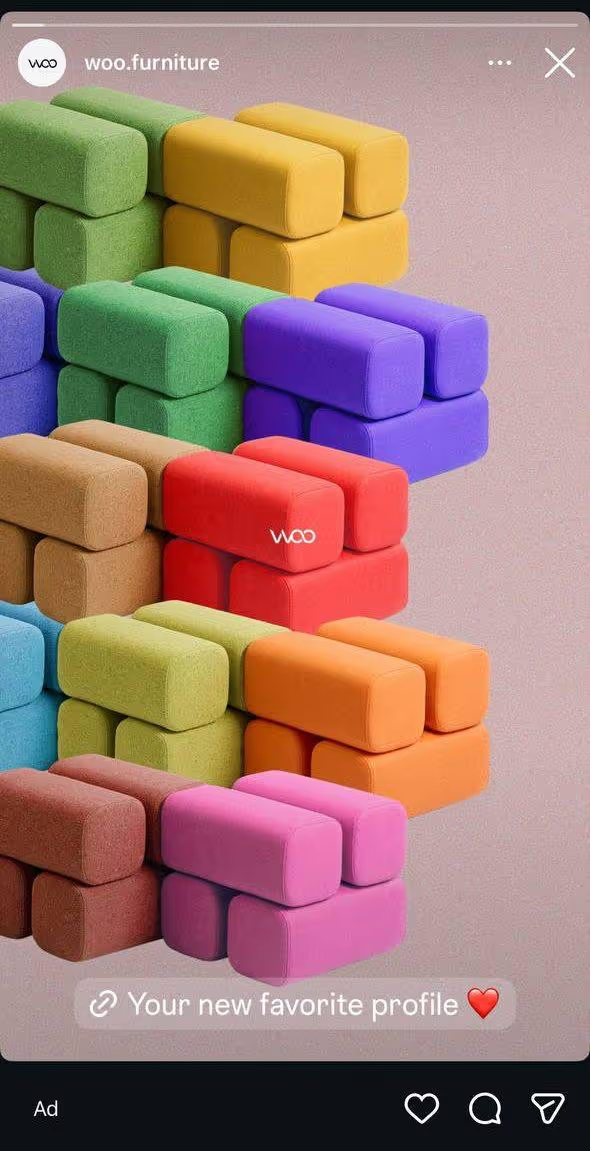
The ad uses a single image, such as a product photo, a lifestyle shot, or a graphic banner. It can be a custom creative made specifically for the campaign or an image from your feed that you choose to promote.
Today, people scroll through their feeds quickly, and they don’t always read the ad text first. The image is what catches attention in the first seconds and gives users a reason to stop and take a closer look at the offer.
- Anastasiia Yakuba, PPC Specialist at Promodo
This format works well for several common use cases:
A few technical details to keep in mind: 1:1 images usually perform best in the feed, while 9:16 works best for Stories. Use high-quality PNG or JPG files.
[[ROW-START]]

[[ROW-END]]
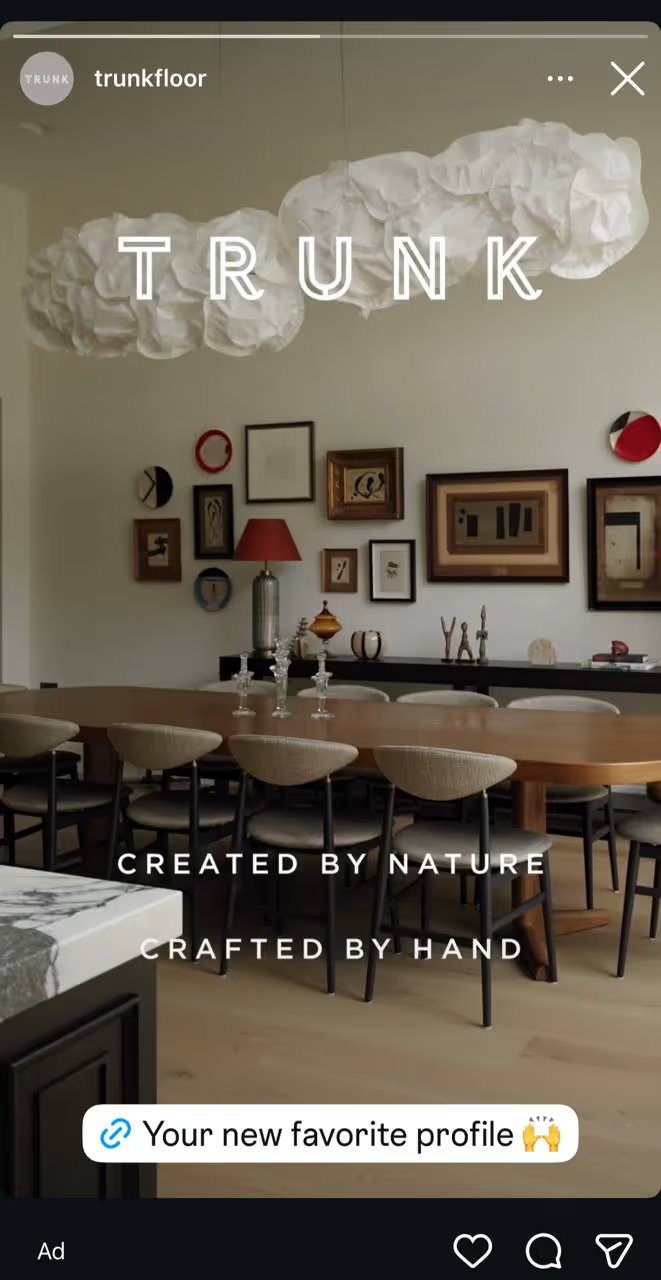
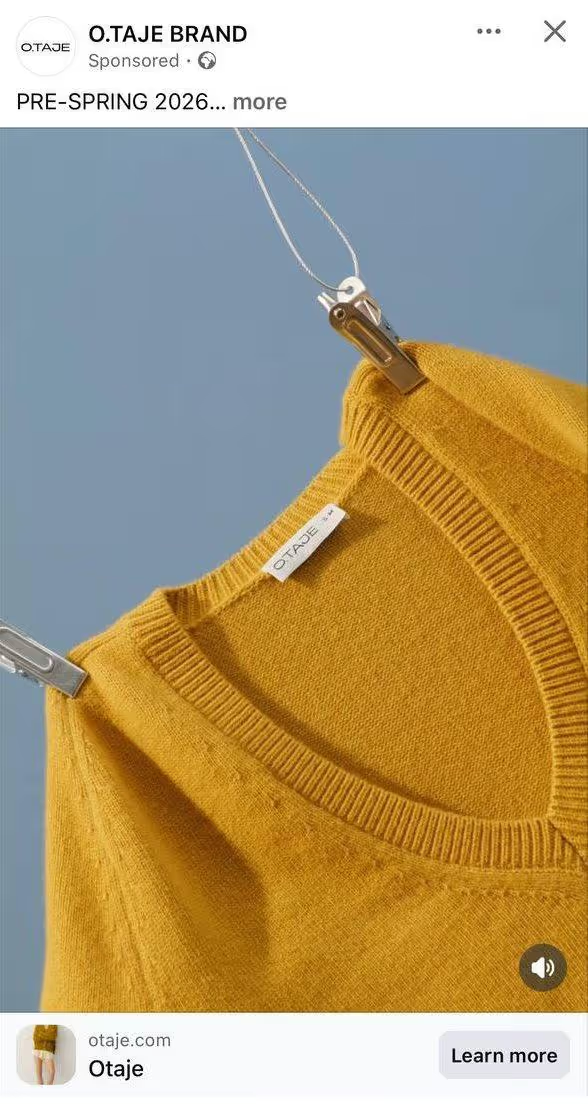
This is a dynamic format that uses video to show a product, service, or brand in action. You can create video ads in Ads Manager or promote an existing video post from your Facebook page.
Reels are a priority right now. They currently offer the lowest-cost reach. The key is to make the video feel natural like something shot on a phone, not a polished TV commercial.
- Anastasiia Yakuba, PPC Specialist at Promodo
Meta recommends this format for three main goals:
Show a product or brand more clearly or from a different angle
[[ROW-START]]

[[ROW-END]]
A strong approach is to show product features, an unboxing, or a customer review. It’s also important to deliver the main message within the first 3 seconds, before the user scrolls past.
Like image ads, video ads can appear across multiple platforms within the Meta ecosystem. You can adapt creatives for each placement. For example, the video format and length may vary depending on where the ad appears. In general, shorter videos tend to perform better on mobile devices.
A collection ad format combines a large image or video with several smaller product cards beneath it. When a user taps the ad, it opens a full screen where they can explore items from your catalog. This way, users can view product details and move closer to a purchase. If they tap one of the smaller product cards, they’re taken directly to the product page on your website.
When should you use Collection Ads?
To introduce new products to your audience

The collection format will no longer appear in Ad setup. Instead, it will be in the Ad creative section, under Format display options, which we will discuss later.
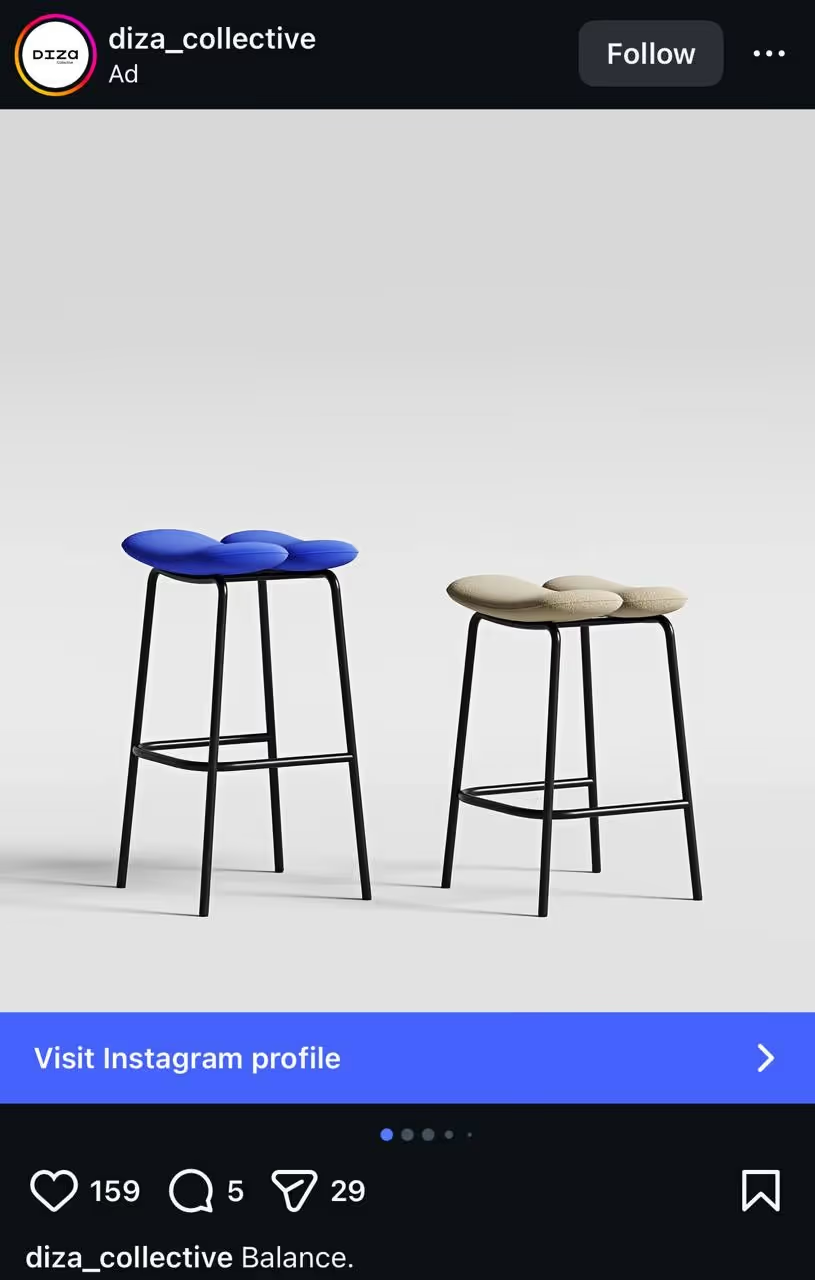
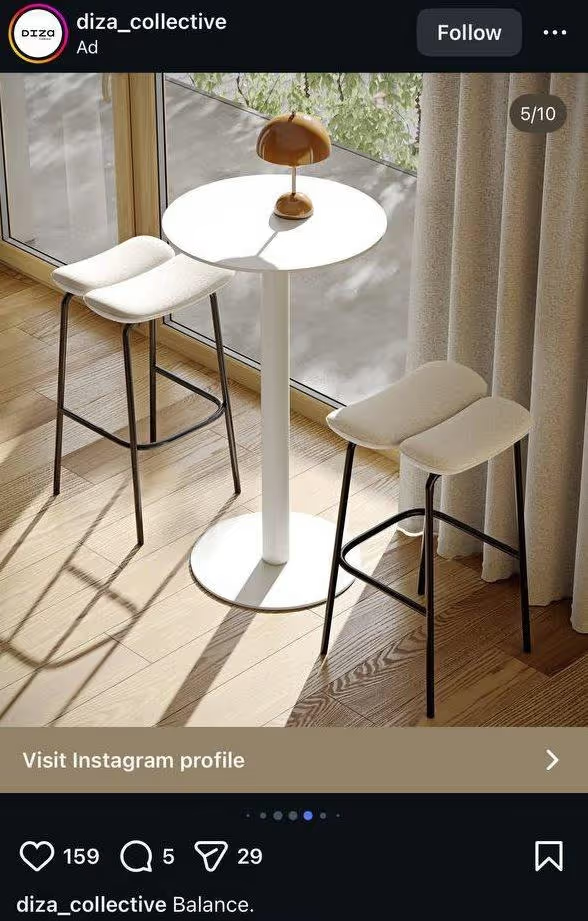
In this format, you add two or more cards (up to 10) with images or videos. Each card can have its own headline, description, link, and CTA button. Users can swipe through the carousel themselves. In some cases, Meta may also show the carousel as a slideshow video if the system determines that it could improve campaign performance.
Carousel ads may not work well for very expensive or complex B2B products, since this format is often perceived more like a quick shopping experience.
- Anastasiia Yakuba, PPC Specialist at Promodo
This format is most often used in several scenarios:
Show multiple products in a single ad, which works well for product catalogs
[[ROW-START]]
[[ROW-END]]
Try using carousel not for products, but for reviews. For example, each card can feature a screenshot of a customer testimonial. This helps build trust with your audience.
- Anastasiia Yakuba, PPC Specialist at Promodo
Instagram may start showing your carousel from the card it thinks will attract users the most. The order of the cards and the creative itself stays the same, but the platform can choose which card appears first.
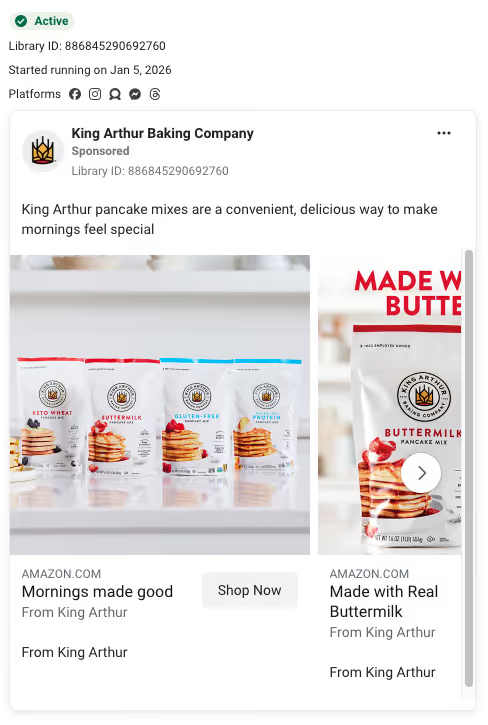
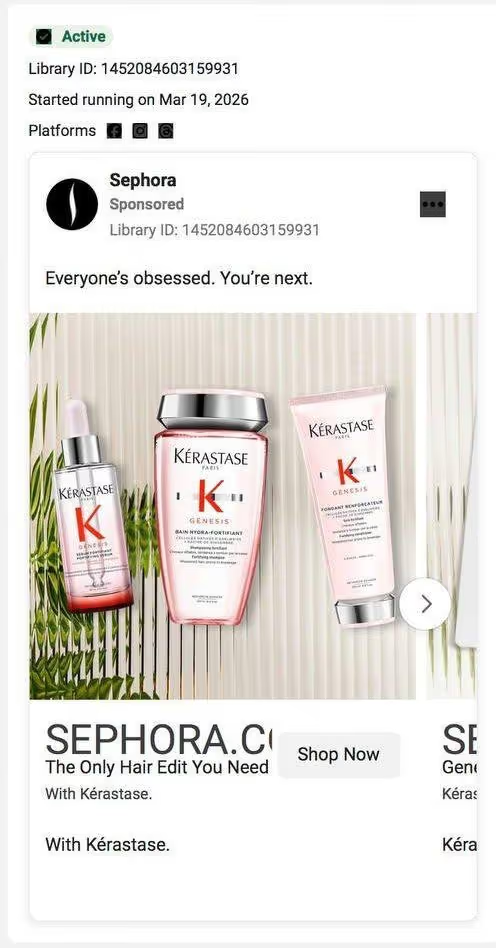
Catalog ads may look similar to carousel or collection ads, but they are built using a product feed. In this case, Meta automatically pulls products from the catalog and generates ads for users.
The data comes directly from the feed and can be updated dynamically. A catalog can include up to 100,000 products or even more, and the system automatically uses this data to create ads.
Users may see products they’ve already viewed on the website, items they added to the cart but didn’t purchase, or products the system predicts might interest them.
[[ROW-START]]
[[ROW-END]]
When users click the CTA button, they are taken directly to the product page. It increases conversion rates (CR) because users land straight on the product that caught their attention.
In Meta product ads, users often see a standard product card with a photo, name, and price. But in a busy feed, that’s not always enough to quickly communicate the main offer or grab attention.
To make product ads more informative, the Promodo team uses its own tool — Promodo Feed Optimizer. It allows us to automatically add catalog data to product images, such as the price, discount size, or other key details. All of this information updates automatically if it changes in the catalog.
For example, in Goodwine ad campaigns, the team optimized product card visuals by adding prices, discounts, and other key details directly to the images, so users could see the offer in their feed.
As a result, this visual optimization of product ads significantly improved campaign performance — revenue from Meta ads doubled.
You can read more about the approach and results in the case study.

Here are a few practical things to keep in mind when testing ad formats.
Audiences quickly get used to the same format. If you run the same type of creative for too long — for example, only carousel ads — people may start to ignore it, and performance will drop. That’s why you should refresh formats and visuals every 2–3 weeks.
The same format can perform very differently across audience segments. Instead of relying on one universal option, test different ad types with different audiences.
Meta continues to add AI tools for working with creatives. For example, you can now change a product image's background with a single click. This makes it easier to test different visual variations without involving a designer. You can also generate videos to test video formats without running a full production process.
It’s also recommended to include at least 3 different visuals in a single ad set. This gives the system the ability to compare them, analyze performance, and identify the most effective combinations.
Over time, traditional ad formats may take on a different role. Meta is testing a new approach in which a single ad can include multiple creatives and appear in different formats, using features like Uploaded Media and Format Display Options.
Uploaded Media allows advertisers to add up to 10 creatives to a single ad, such as multiple images or design variations. Advertisers can also specify which platforms or placements these creatives can appear on.
Format Display Options allow the same ad to be shown in different formats. For example, a standard image ad may appear as a carousel or collection if the system uses additional available assets, such as catalog images or other creatives.
In other words, ads are becoming more flexible. Meta’s algorithms can automatically combine formats and creatives depending on the user and ad placement
You can learn more about how Meta’s ad algorithms work in our article about Meta Andromeda.

Meta offers several product ad formats, and each can perform differently depending on the product, the audience, and the campaign goal.
To get the best results, it’s important to choose the format that fits your product, audience, and objectives. That’s usually where an effective advertising strategy begins.

Copywriter at Promodo
Over nearly three years as a copywriter, I’ve written for US and European startups and companies, including SE Ranking. I enjoy working with words—finding the right phrasing, organizing ideas, and turning them into clear and useful content that shows real value and helps businesses grow.
You may also like
Choose quality and trusted services to improve the presence of your company on the Internet, and feel free to contact our UK team if you have any questions.

In SEO, when people talk about content uniqueness and quality, they usually mean just the website’s text — things like plagiarism-free writing, relevant keyword
.avif)
In this article, we’ll explore how to recover your website’s visibility after being hit by a Google penalty.
.avif)
How do you know who is most likely to buy this or that pet care product or service from you?
We at Promodo are ready to help you improve your performance across all digital marketing channels.
Get started



.avif)

.svg)


