


Content


Copywriter at Promodo
Over nearly three years as a copywriter, I’ve written for US and European startups and companies, including SE Ranking. I enjoy working with words—finding the right phrasing, organizing ideas, and turning them into clear and useful content that shows real value and helps businesses grow.

Your Google Ads performance starts to slip. Click costs rise, competitors become more aggressive, and the budget that once delivered results no longer goes as far. So, do you need to spend more just to stay competitive?
Not necessarily. In this article, we'll explain what happens when competitors increase their Google Ads budgets, how it affects your campaigns, and what you can do to stay ahead without automatically increasing your ad spend. And when you actually need to do that.
The first effect is usually a higher cost per click (CPC). When competitors increase their budgets, they can compete in more auctions throughout the day, driving up the price of each click.
Over time, your budget starts buying fewer clicks. Without any changes to your campaigns, you may see traffic decline because each click costs more.
The second effect is lower visibility. If competitors win more auctions, your ads may appear less often or lower on the page. As a result, you may lose impression share and attract fewer potential customers without changing your budget.
Fewer impressions and more expensive clicks can reduce conversions, increase your cost per acquisition, and make profitable campaigns look like they're underperforming.
Compare your results with industry PPC benchmarks to see if rising costs are affecting everyone or just your campaigns.
But a competitor spending more does not automatically win every auction. Google considers multiple signals, including bid, ad relevance, expected click-through rate, and landing page experience.
That's why you shouldn't rush to increase your budget. First, understand what changed. Check if competitors are outperforming you in Google Ads or if there are opportunities to improve your own campaigns.
If you're considering a larger budget, PPC forecasting can help you estimate its likely impact before you invest more.
At the campaign level, there are two important metrics to check:
Another thing to do is to use Google Ads Auction Insights. This report compares your performance with other advertisers participating in the same auctions. It doesn't reveal competitors' budgets or competitor PPC spend. Still, it helps you understand whether they're gaining visibility, competing for the same searches more often, or consistently ranking above your ads.
Auction Insights is one of the most reliable sources because the data comes directly from your own auctions. It’s available for Search, Shopping, and Performance Max campaigns.
Here's how to interpret the most important metrics:
Impression share is the percentage of impressions your ads received compared to the total number of impressions they were eligible to receive.
A declining impression share means your ads are showing up in fewer eligible auctions than before. It doesn't tell you the full reason, but it does tell you that something has changed. Compare the trend with your CPC, clicks, and conversions to understand whether increased competition is affecting campaign performance.
Overlap rate shows how often another advertiser's ad received an impression when your ad also received an impression.
The metric helps identify your closest competitors. If one advertiser consistently has a high overlap rate, you're competing for many of the same searches. If that number keeps growing, you're competing against them more often than before.
Position above rate shows how often another advertiser's ad appeared in a higher position than yours when both ads were shown.
If the same competitor begins appearing above your ads more often, review your campaign performance before reacting. It may indicate changes in bidding, ad quality, or overall competitiveness in the auction.
Outranking share measures how often your ad ranked higher than another advertiser's ad or appeared when theirs did not.
A consistently high outranking share means you're maintaining visibility against a competitor. If the metric starts to decline, they are likely becoming more competitive.

In Google Ads, a larger budget doesn't automatically lead to higher ad positions. So, you don’t need to increase the budgets as soon as your competitors do so.
Google decides which ads to show and where they appear using Ad Rank. Your bid matters, but it's only one of several factors that influence the result.
Google also evaluates the quality and relevance of your ads, the expected click-through rate, landing page experience, and the expected impact of ad assets.
In other words, a more relevant ad can outperform one with a larger budget.
This is why two advertisers bidding on the same keyword can achieve very different results. One may pay more to appear in the same position because their ads or landing pages are less relevant to the user's search.
Before increasing your budget, review the factors that influence Ad Rank. You can win more auctions without significantly increasing spend if you improve ad copy, tighten keyword targeting, strengthen landing pages, or add relevant ad assets.
Before changing your bids, check if you're paying more for valuable traffic or spending more to achieve the same results.
First, identify where costs are increasing. Look at your campaigns by keyword, device, location, audience, and time of day. A market-wide increase rarely affects every segment equally. You may find that only a small group of keywords or audiences is driving most of the additional cost.
Next, review your Search Impression Share. If it's stable while CPC increases, your campaigns are still maintaining visibility despite stronger competition. If impression share is declining at the same time, you may be losing auctions and should investigate if your bidding strategy or campaign structure needs adjustment.
If the increase in CPC follows seasonal trends because more advertisers enter the market during peak periods, be prepared to increase your budget.
If CPC is increasing, see if competitors have changed their prices or the terms they're offering.
Before increasing your bids, review the competitiveness of your offer. A stronger value proposition often has a greater impact on CTR and conversion rate than simply paying more for clicks.
- Sergiy Lomanenko, Head of Marketing Department at Promodo
When competition increases, every click gets more expensive. That's why it's important to focus your budget on searches that are most likely to generate revenue.
Review your search terms and identify keywords with strong commercial intent. These are typically queries from users who already know what they want and are closer to making a purchase.
For example, an automotive business could prioritize "Michelin winter tires 2 225/45 R17" over generic searches like "winter tires."
At the same time, reduce spend on broad or informational searches that generate traffic but rarely convert. A smaller volume of qualified clicks often delivers a better return than maintaining the same traffic at a higher cost.
Instead of increasing bids across every campaign, identify where higher bids are actually justified. For example, protecting impression share on your highest converting products may deliver a much better return than competing aggressively across your entire account.
If you're using Smart Bidding, avoid making frequent manual changes in response to short-term CPC fluctuations. Give the strategy enough time to learn and evaluate performance based on conversions and ROAS rather than CPC alone.
Review whether your campaigns group together keywords with different intent, products, or customer journeys.
For example, separate campaigns for TVs, laptops, and smartphones or for tires, wheels, and car batteries, so you can write more relevant ads and send users to the right landing pages.
With a more focused campaign structure, you can write more relevant ads, direct users to better landing pages, and apply bidding strategies where they have the greatest impact.
Review negative keywords as well. You can exclude irrelevant searches to preserve budget for auctions that are more likely to generate sales.
CPC is only a primary metric when your goal is to drive traffic. In other cases, CPC is a signal, but you should decide based on business profitability metrics.
When competitive ad spending increases, don’t try to match your competitors. Try to be more selective about where and how you compete.
When competition increases, review the message you're communicating and the offer you're presenting to customers. A clearer value proposition, stronger promotion, or more compelling offer can improve performance without increasing your budget.
Not every campaign deserves the same level of investment. If your budget is limited, focus on the products, services, and keywords that generate the strongest business results.
Focus on the searches where losing visibility could mean losing valuable customers. This approach helps you make better use of your budget and stay competitive where it matters most.
Check if your ads closely match the user's search intent and whether each click leads to the most relevant landing page.
Imagine someone searching for "Samsung Galaxy S26 12/256Gb Black". They expect to land on the exact product page rather than a general smartphone category.
Improving relevance can strengthen your Ad Rank, so you can compete more effectively without continually increasing your bids.
Prioritize high-intent search queries, refine audience targeting, or concentrate spend on your best-performing devices or locations. For example, if you're a tire retailer, you might focus on regions where you offer installation services.
If you reach fewer but better-qualified prospects, you can get a stronger return than trying to compete for every possible click.
Increasing your budget is unlikely to improve ROI when:
Sometimes you might need to increase your budget to protect your branded search campaigns.
If you notice your Search Impression Share dropping on branded search campaigns and competitors are becoming more aggressive on queries related to your brand, you should respond by increasing your budget. These are your most relevant customers.
At the same time, advertise only on branded queries that align with your business goals. For example, "Toyota service center" rather than "Toyota careers."
In any case, because your website is the most relevant result for branded searches, competitors will typically pay significantly more per click to compete for those queries.
Sergiy Lomanenko, Head of Marketing Department at Promodo
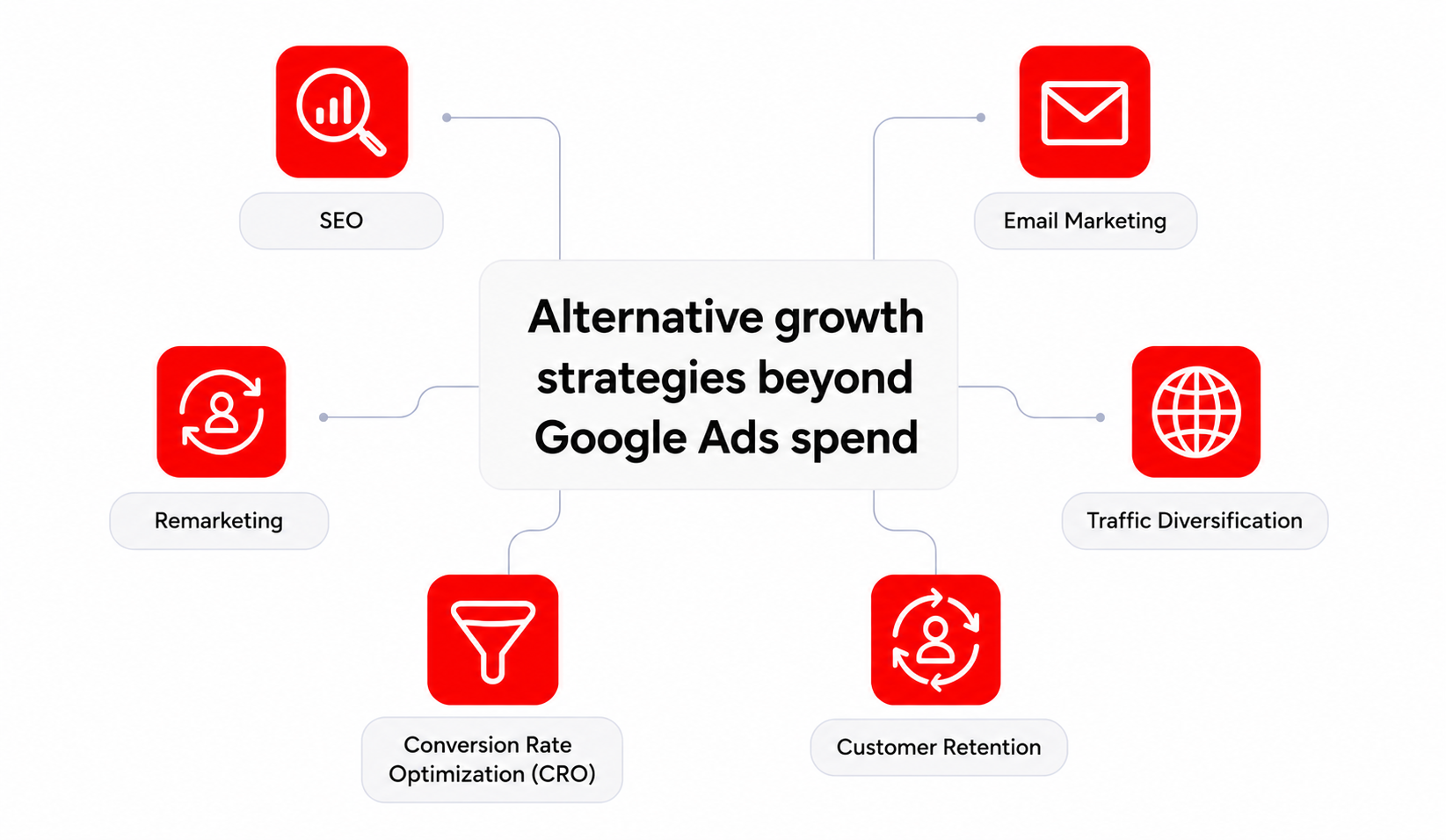
In fact, you don't have to rely on Google Ads alone to grow your business. You can achieve more consistent growth and avoid relying on a single traffic source by investing in SEO, email marketing, remarketing, and diversifying traffic.

[[FAQ-START]]
You can't see your competitors' budgets directly, but you can spot the signs. Check the Auction Insights report and see if competitors appear more often, outrank your ads, or gain impression share.
No. A higher impression share only means they're appearing in more eligible auctions. It doesn't reveal their budget, company size, or overall marketing spend.
Not immediately. First, find out why your performance changed. In many cases, improving your campaign structure, ad relevance, or targeting can help get better results.
You won't see every ad, but you can review many of them using the Google Ads Transparency Center. It's a useful way to understand competitors' messaging, promotions, and creative approach, even though it doesn't show performance data.
[[FAQ-END]]
Copywriter at Promodo
Over nearly three years as a copywriter, I’ve written for US and European startups and companies, including SE Ranking. I enjoy working with words—finding the right phrasing, organizing ideas, and turning them into clear and useful content that shows real value and helps businesses grow.
You may also like
Choose quality and trusted services to improve the presence of your company on the Internet, and feel free to contact our UK team if you have any questions.
.png)
Running paid media for an online store with 50,000 products is not the same job as running it for a brand with 40.

Using a pay-per-click campaign brings in high-quality leads for financial institutions and boosts the return on investment for your marketing efforts.

The way people travel has transformed considerably in the last decade. Instead of visiting travel agencies in person, today’s travelers unlock their phones...
We at Promodo are ready to help you improve your performance across all digital marketing channels.
Get started




.avif)
.svg)


